Folder sync,
done right.
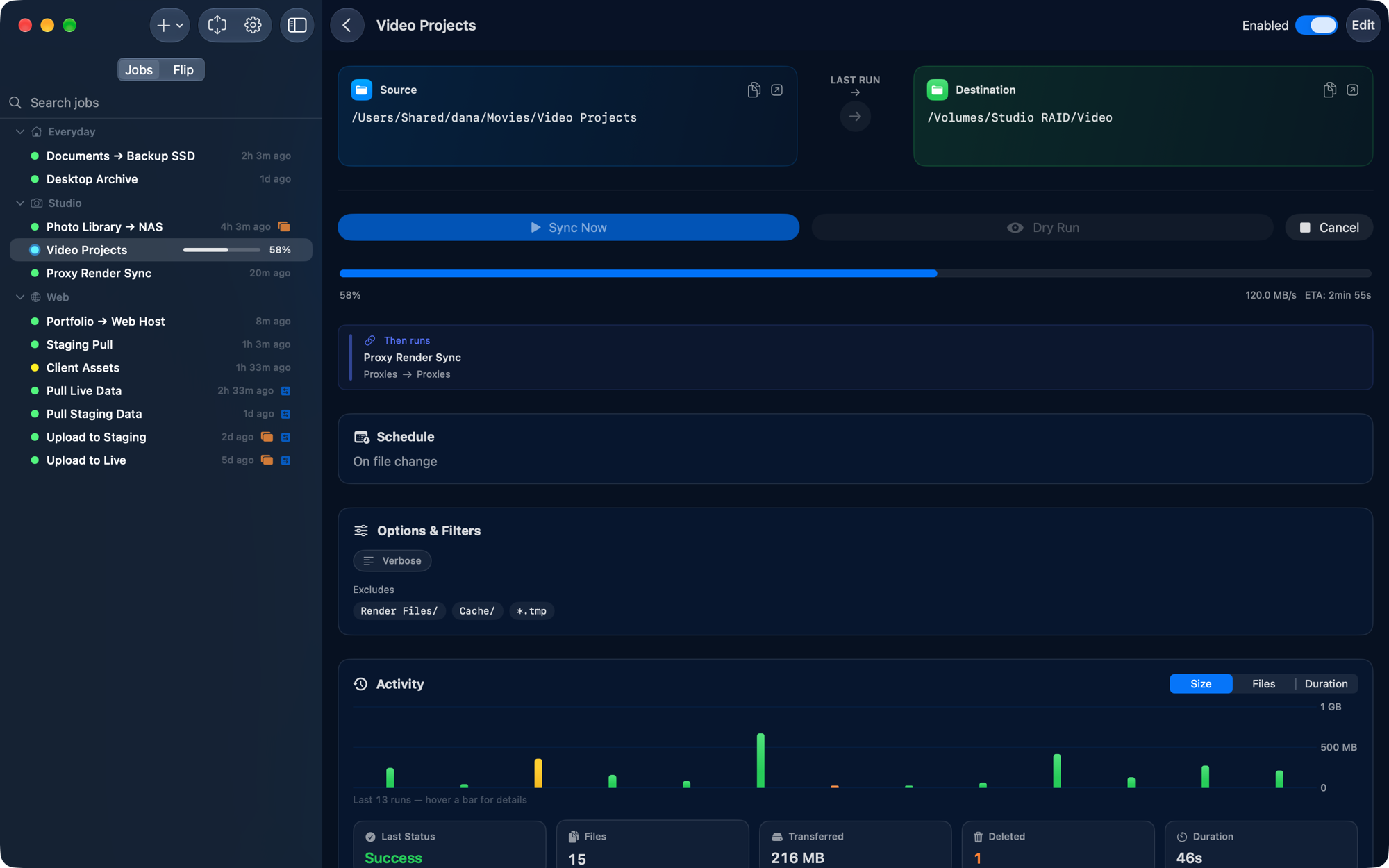
Choose two folders, set a schedule, and Kopya keeps them synced locally, over SSH, or to an external drive. All the control of rsync, none of the command line.
Native. Local. No cloud, no account, no tracking.
Powerful sync, quietly handled.
Core syncing
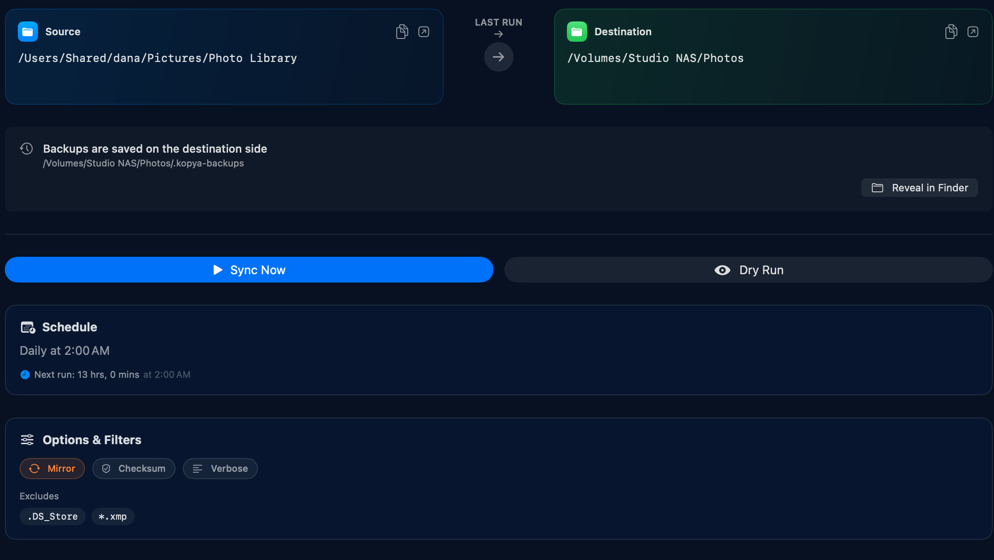
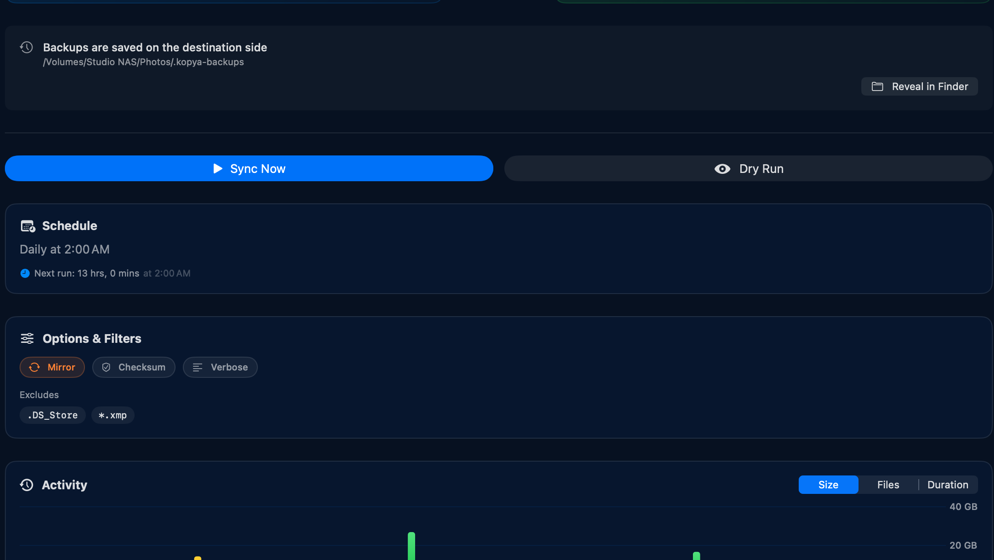
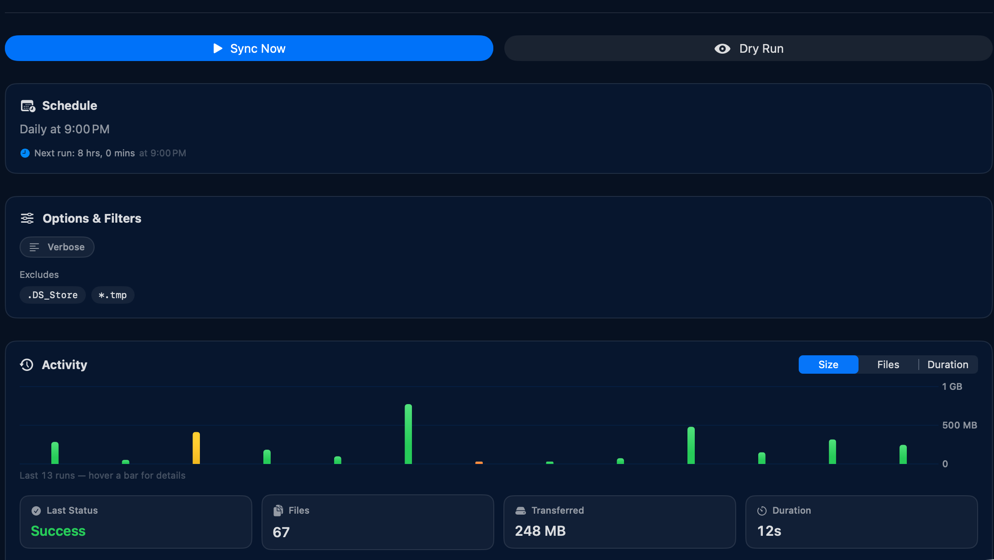
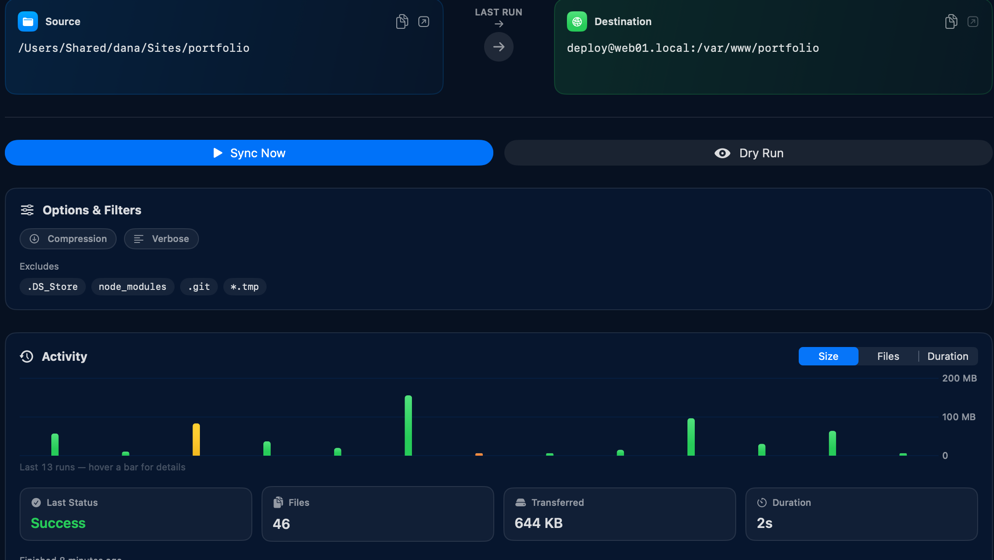
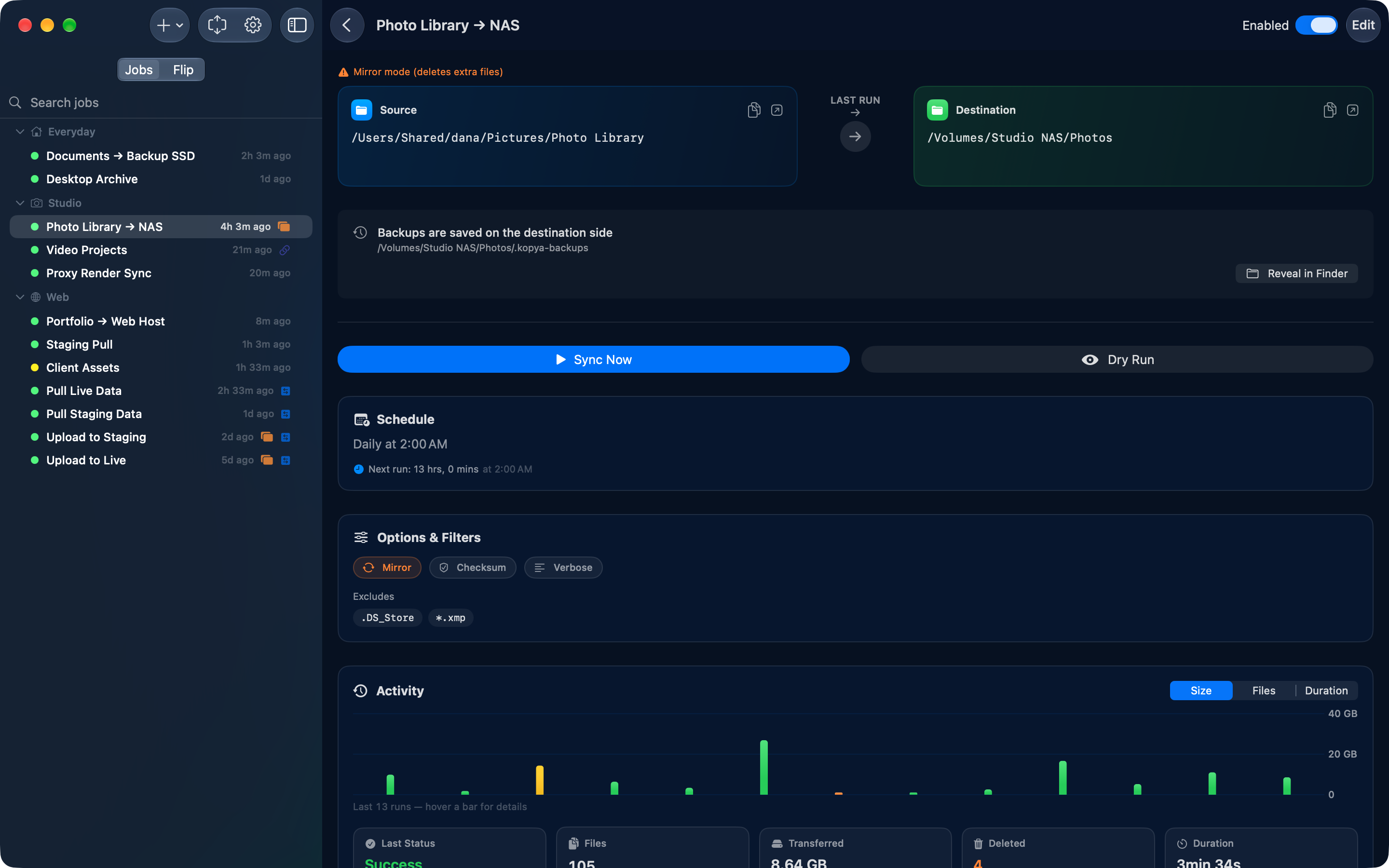
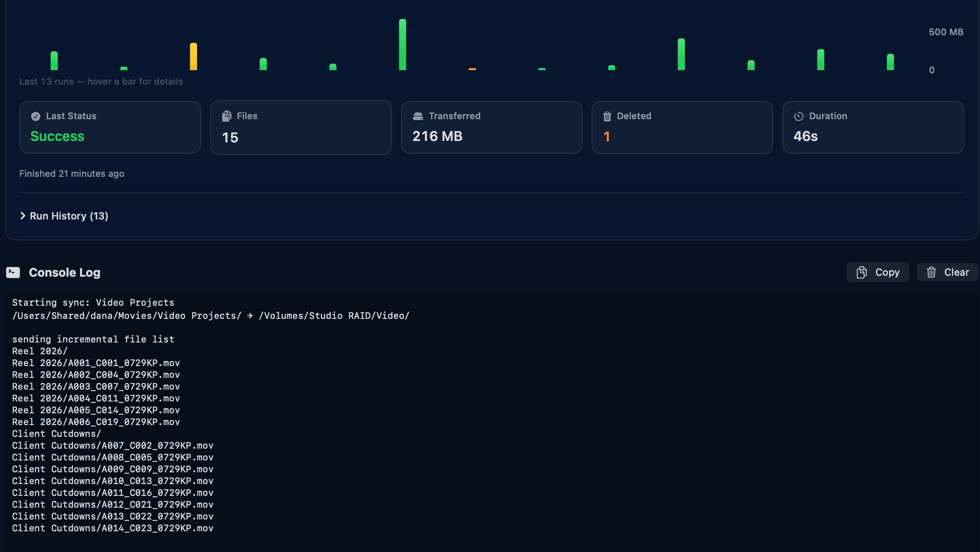
Pick a source, a destination and a direction, or swap them with one click. Mirror mode keeps the destination an exact copy. Dry-run previews and a live console show exactly what moves before it moves.
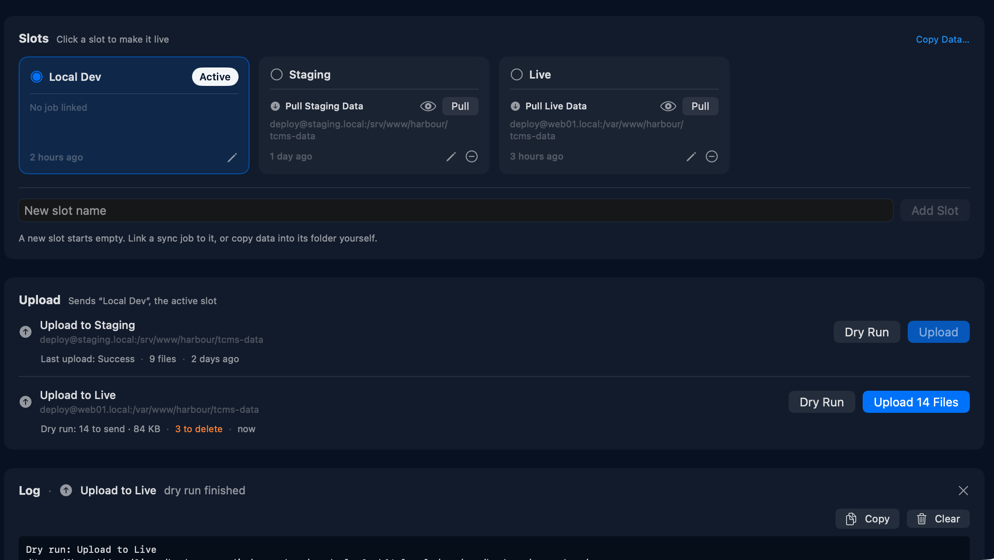
One site. Every version of its data.
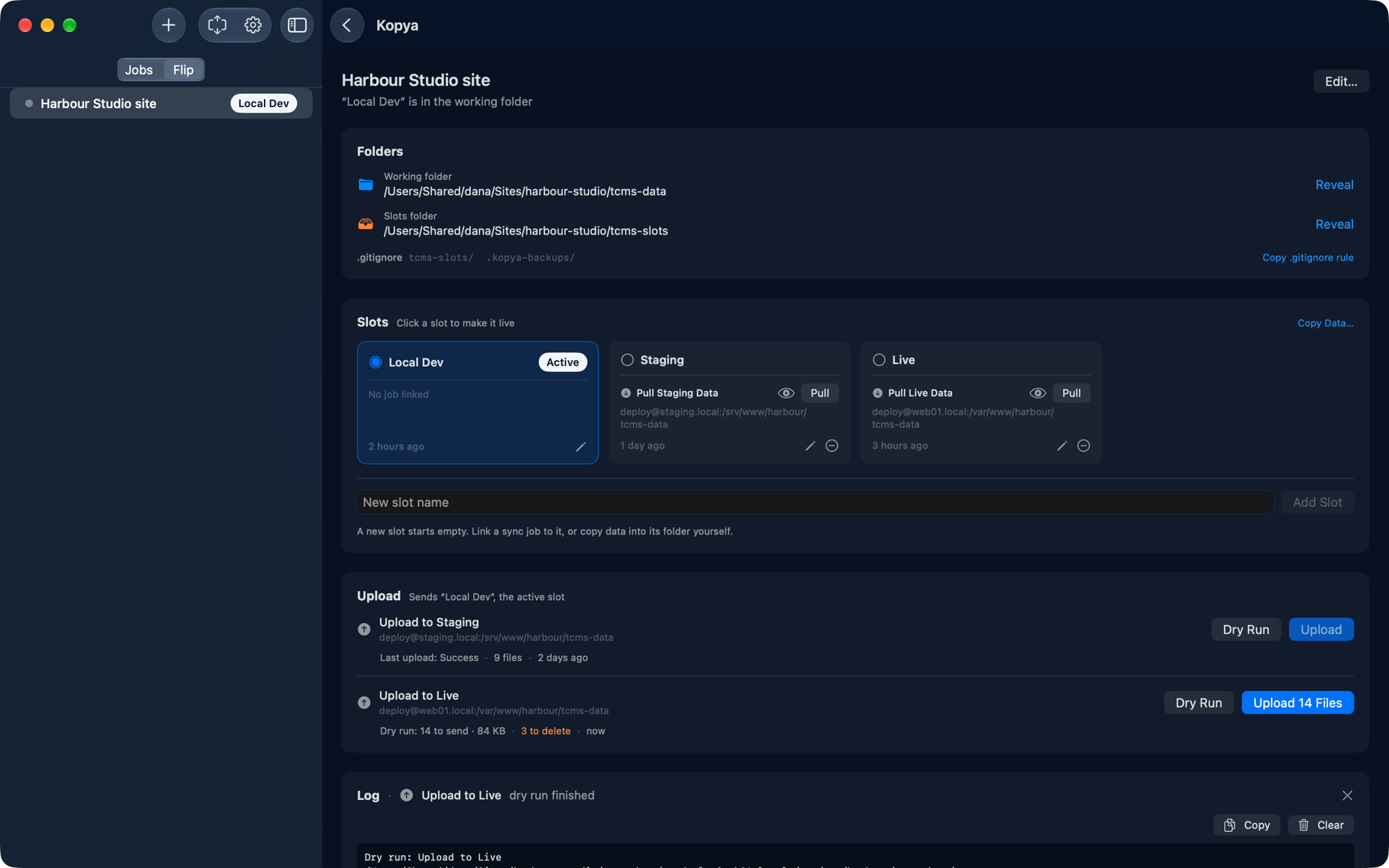
Your site reads one data folder. Flip keeps several versions of that folder as named slots and puts the one you pick in its place. If you build with Total CMS, that folder is tcms-data: pull the live site's data into a slot, swap it in, and test your local build against real content.
Pull
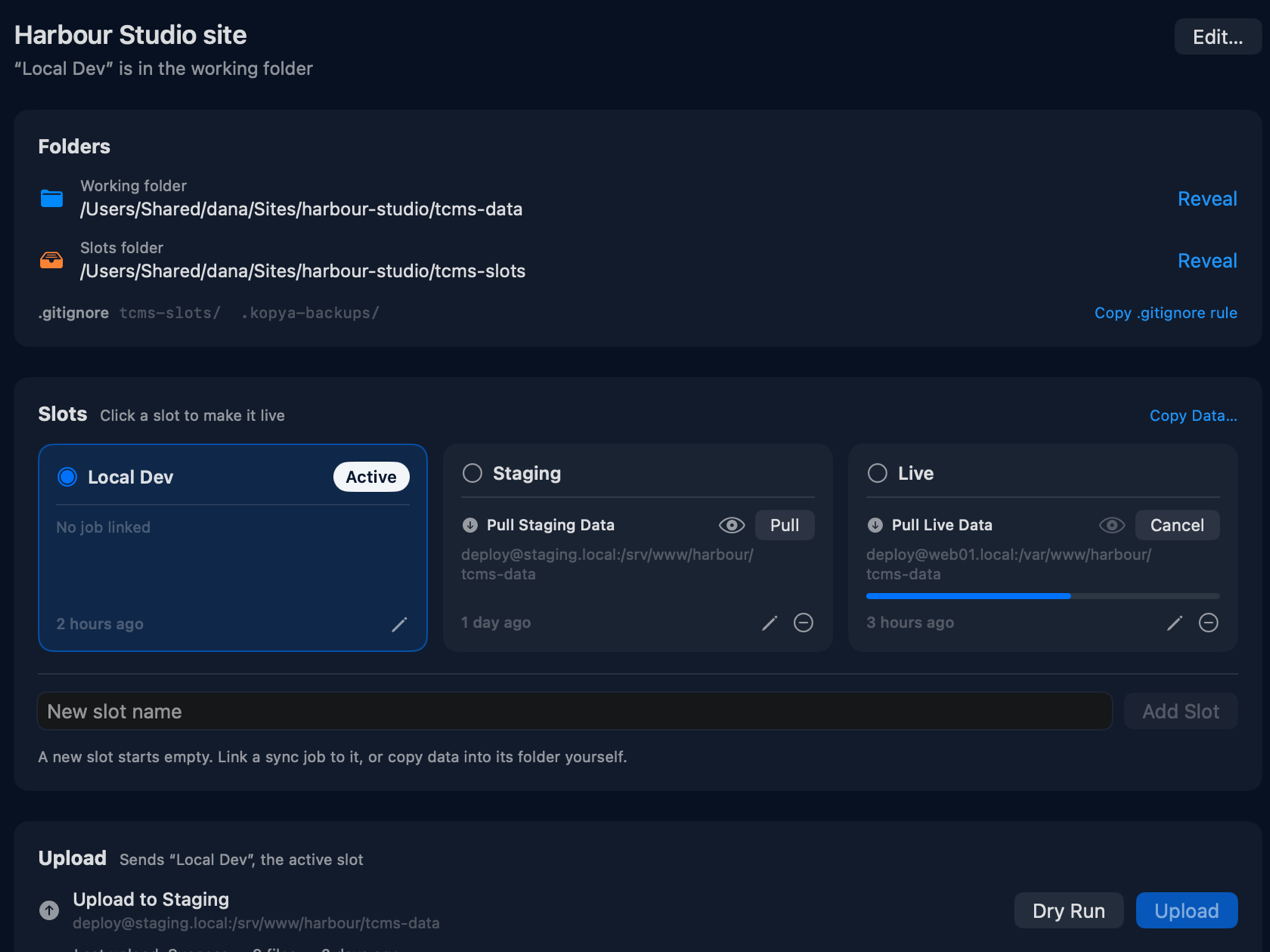
Give each version of your data a slot: Local Dev, Staging, Live. A linked job pulls a server's copy straight into its slot.
Swap
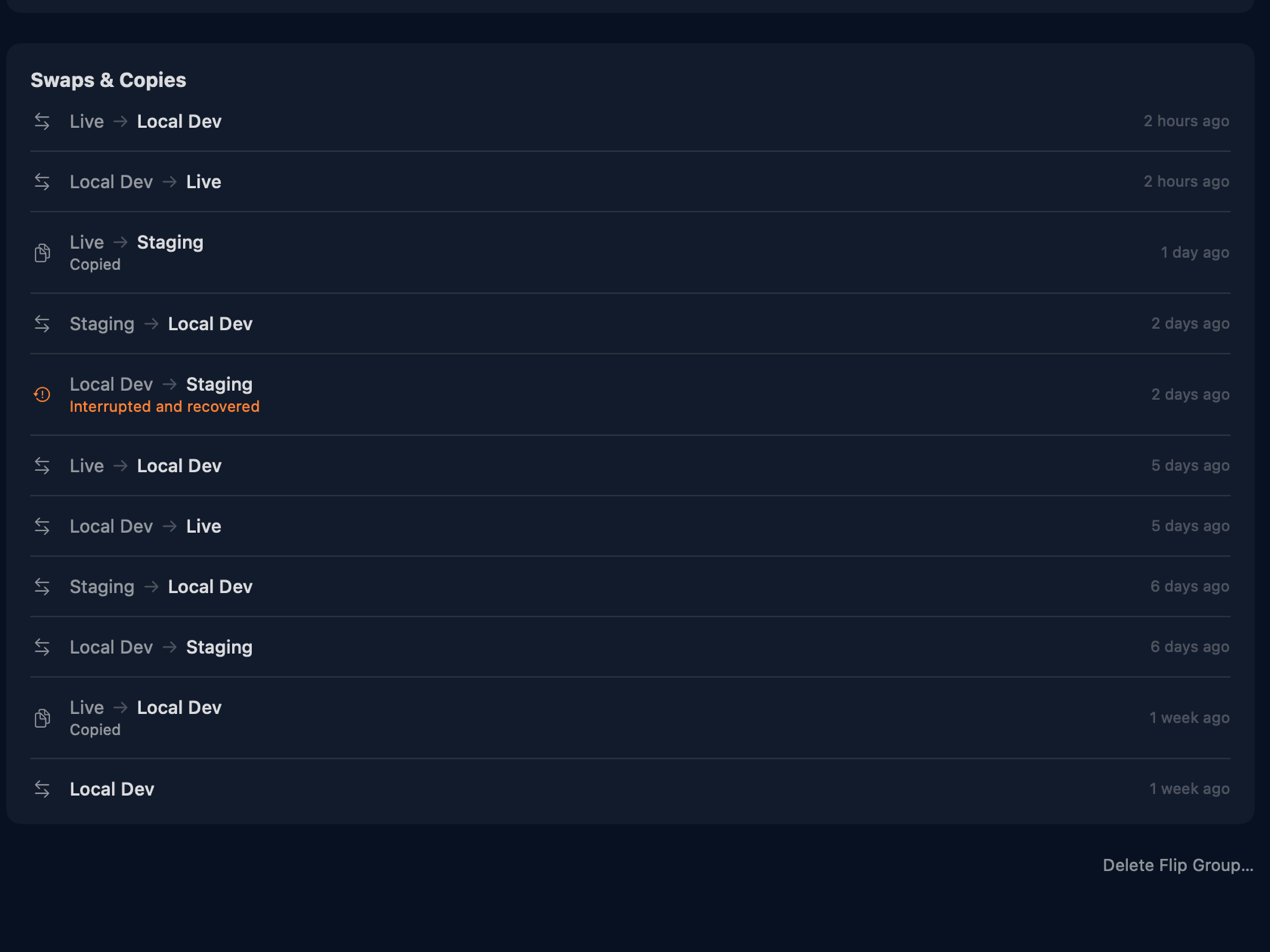
Click a slot and it becomes the folder your site reads. Files are moved, never deleted, so a swap on the same disk is instant, and one that gets interrupted is finished or undone the next time Kopya opens.
Upload
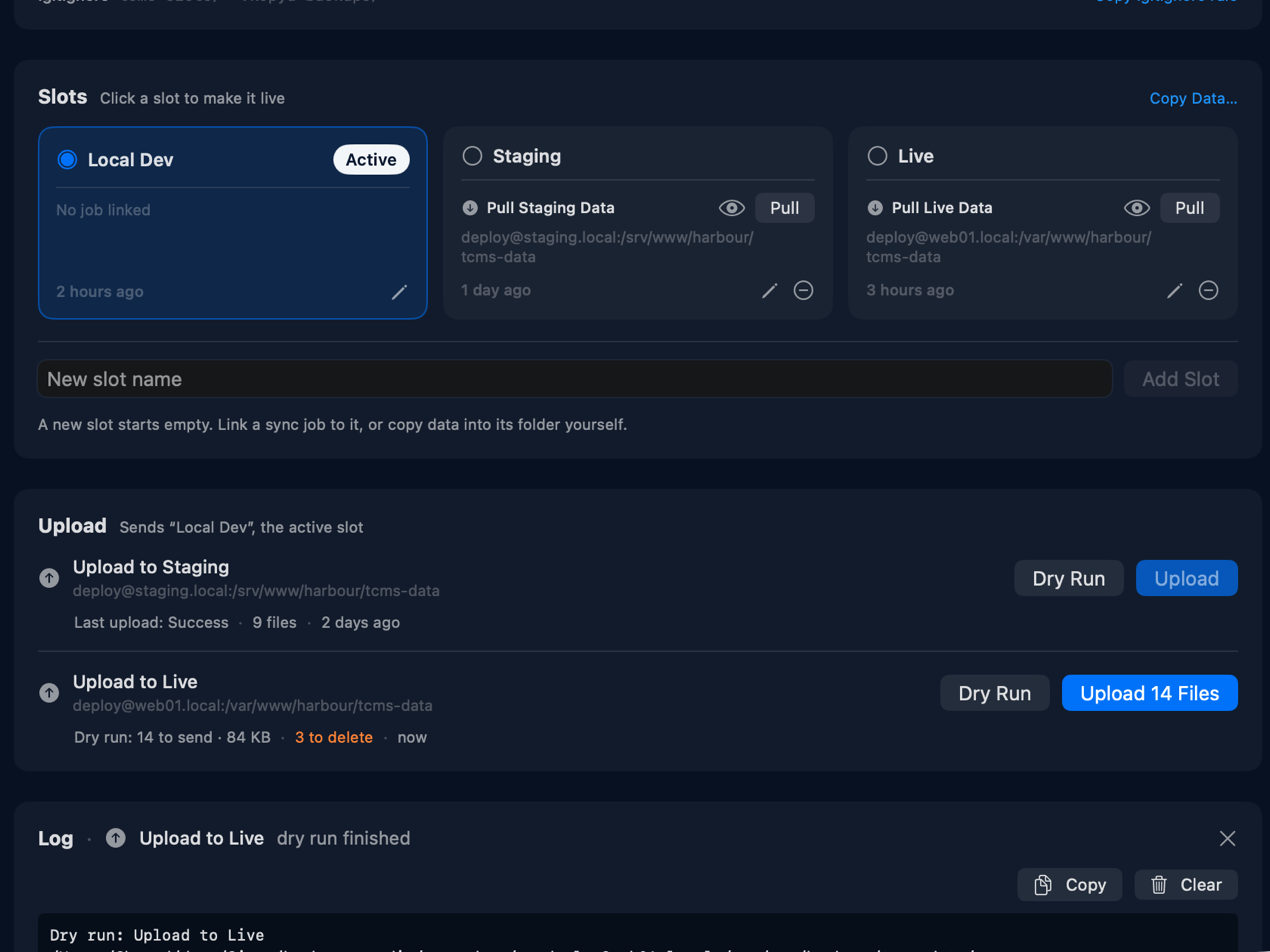
Send the active slot to staging, live, or as many servers as you like. In the Flip pane, each Upload button appears only after a dry run that is still current, so you see what will be sent and what will be deleted before you send it.
Flat-file sites
Total CMS, Kirby, Statamic, Grav, or a WordPress uploads folder. Test live content against local code.
Client demos
One build of the site, a data set per client or per pitch.
Migration safety
Park the data as it was before an upgrade. Swap back if the upgrade goes wrong.
Test fixtures
An empty set, a huge set and a broken set, swapped in to reproduce a bug.
App profiles
Presets, plugins or saves for any app that reads one fixed folder.
Flip is part of Kopya Unlock.
Three steps. Then forget about it.
Pick two folders
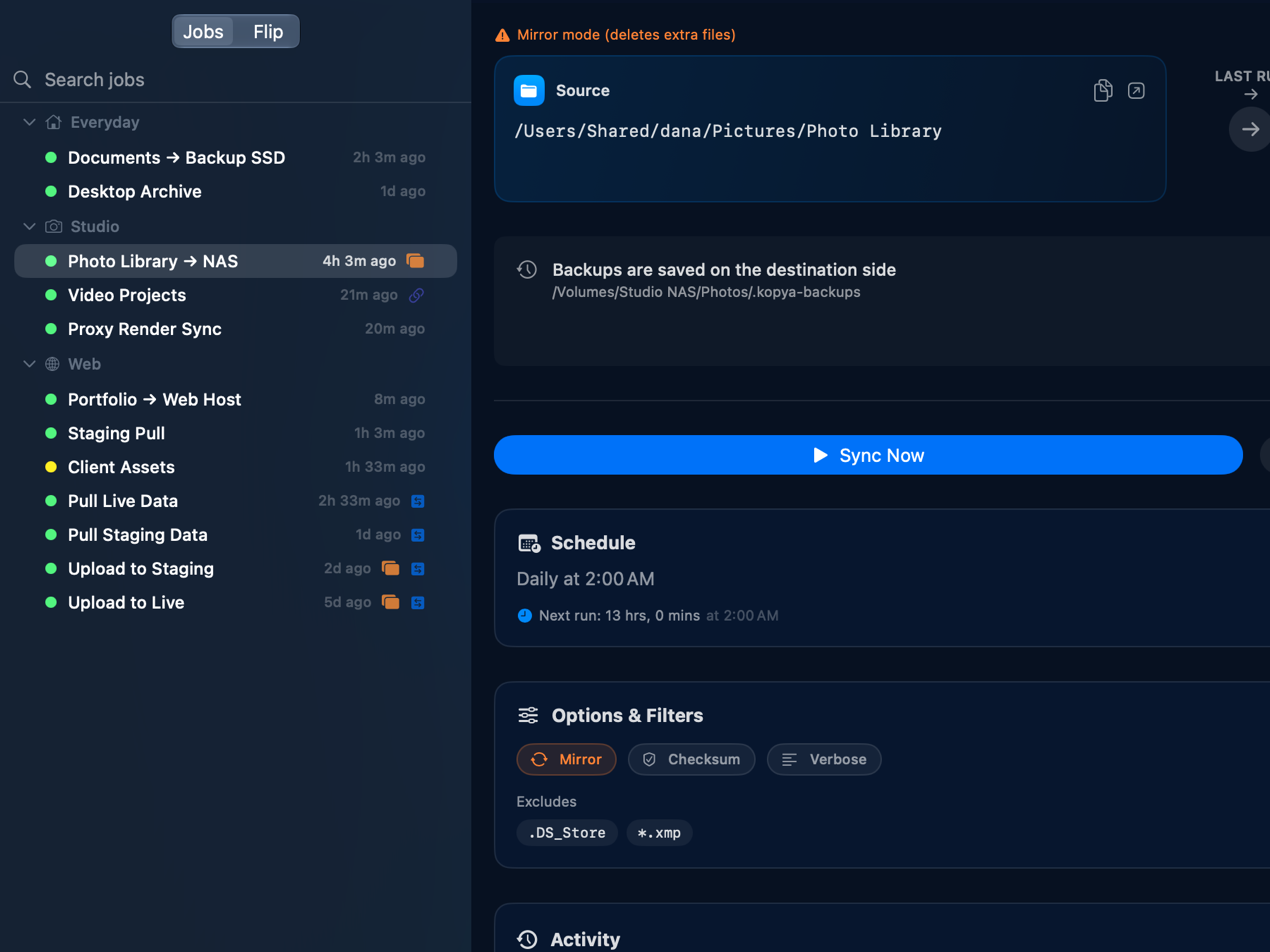
Drag and drop a source and destination, or use the native picker.
Choose a schedule
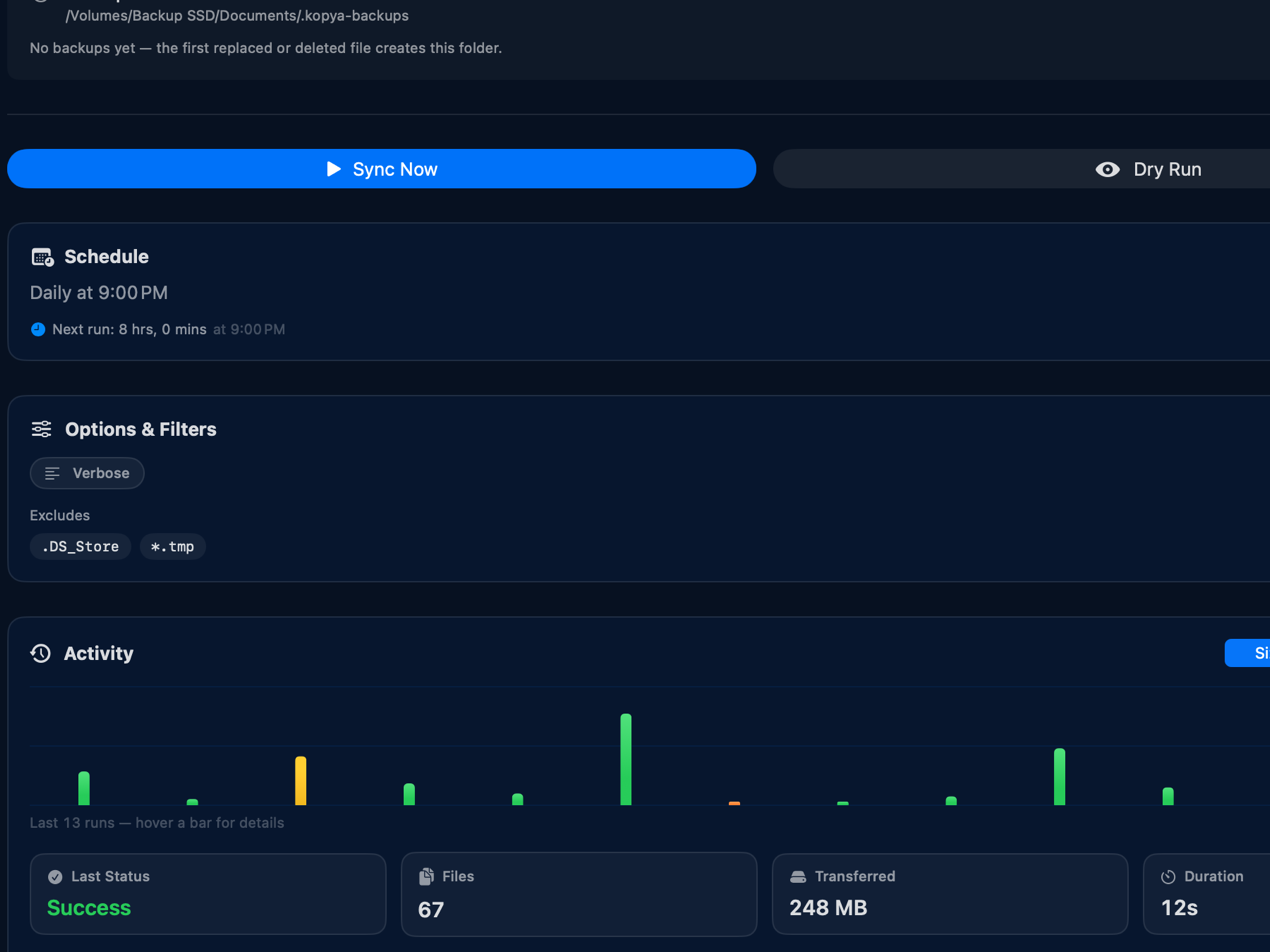
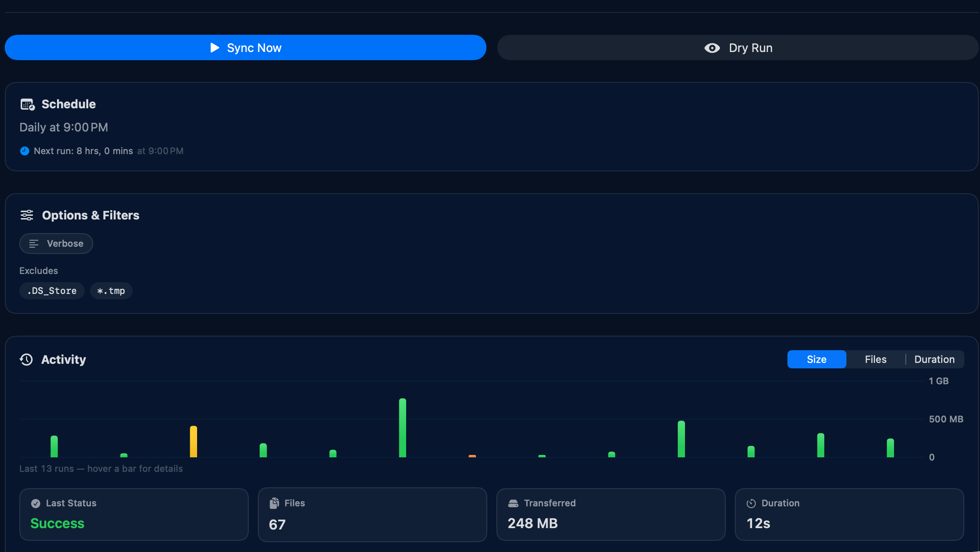
Six triggers: manual, interval, daily, on file change, at login, or when the drive connects.
Kopya keeps them synced
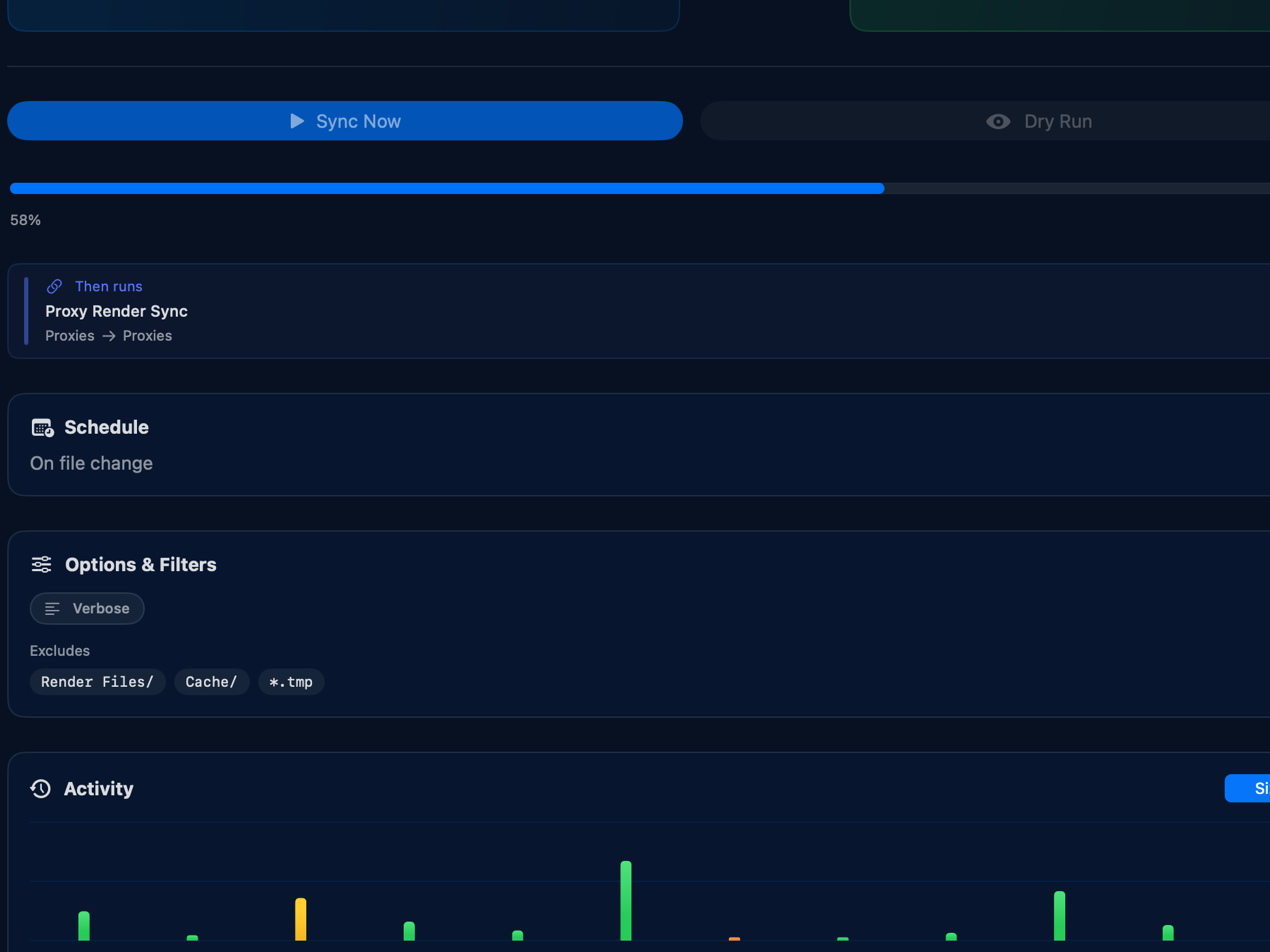
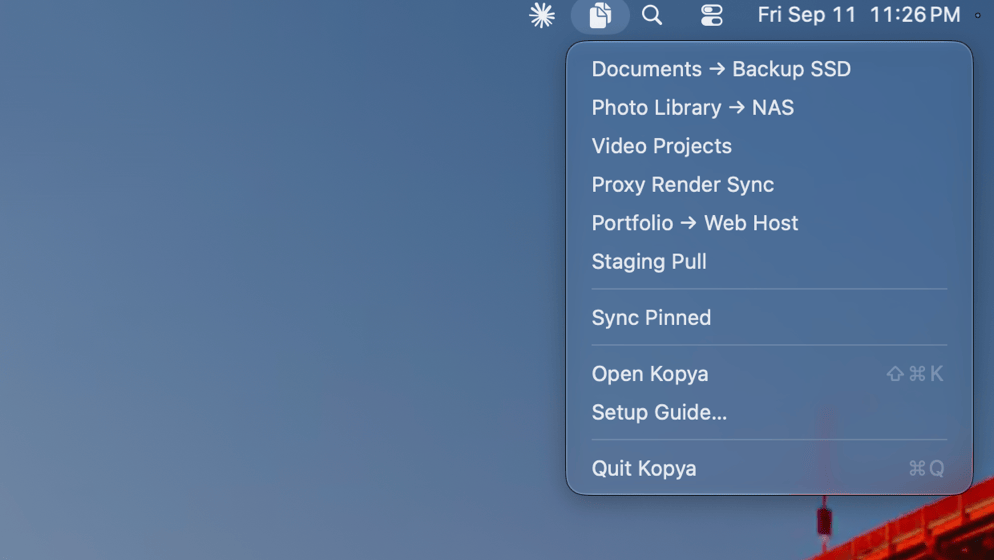
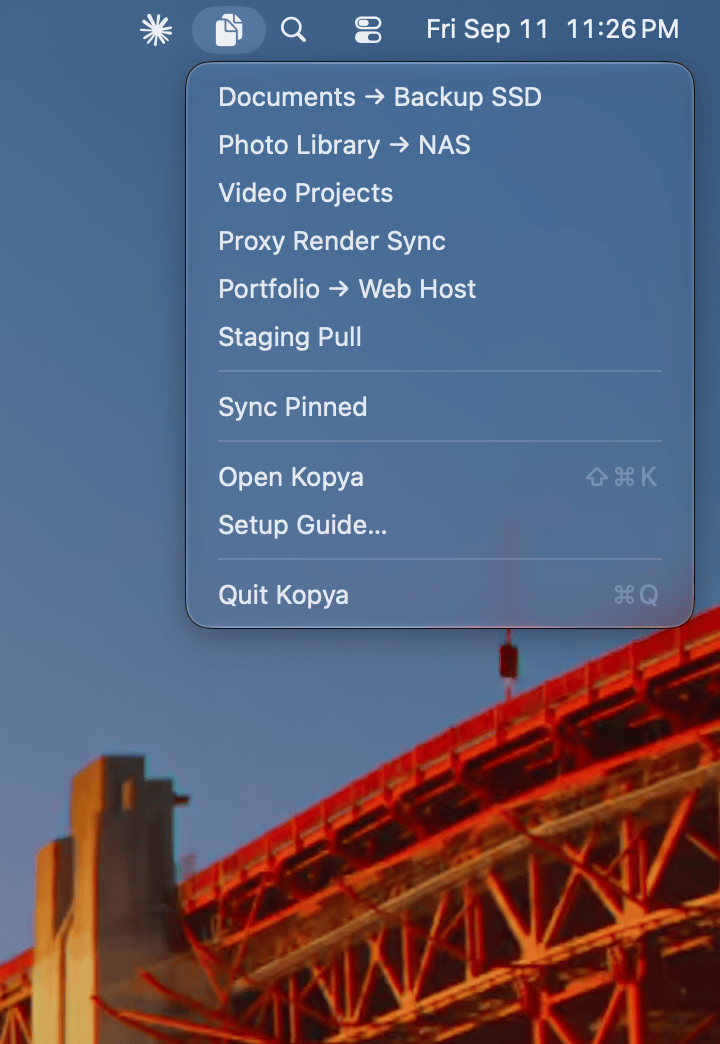
Live progress, speed, and ETA, quietly from the menu bar.
Built like a proper Mac app.
It only touches what you hand it.
Sandboxed with a hardened runtime. Folder access comes from security-scoped bookmarks created when you pick a folder, so Kopya can only reach the folders you choose.
SSH keys live in the app's own container at 0600, passwords go in the Keychain, and Kopya keeps its own known_hosts without ever touching ~/.ssh.
The app has no telemetry and no analytics. Apart from your own SSH transfers, its only network call is the optional Kopya News signup, and only when you press Subscribe.
A partial copy never shows green.
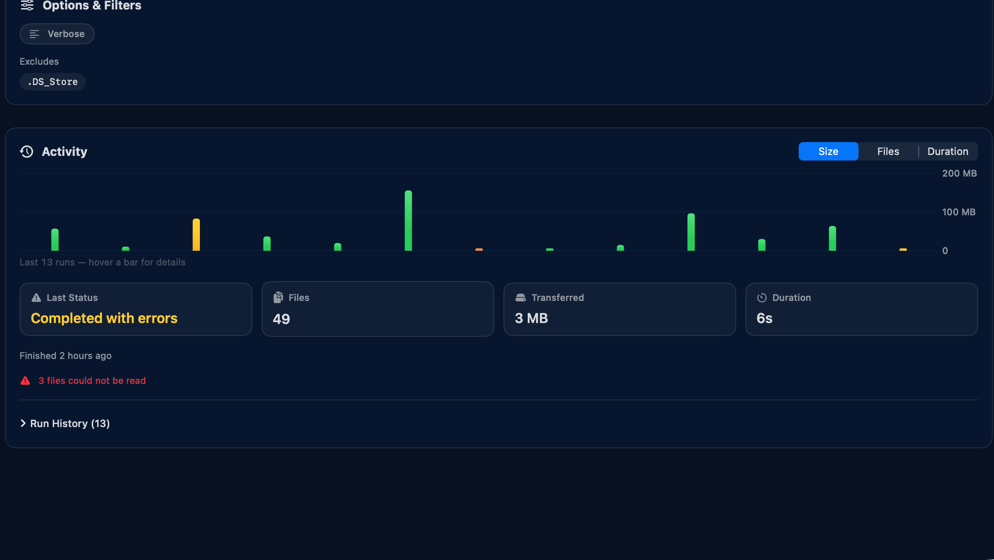
A run that finished but couldn't transfer every file says so. A needs-attention badge stays on the job through app restarts until the next successful run, so a failing nightly sync can't slip past once its notification is gone.
Failed scheduled syncs retry twice with backoff before reporting a failure, and a run whose drive isn't mounted is skipped quietly instead of logged as broken.
Sort jobs into groups, drag to reorder, duplicate a job, sync a whole group at once, or switch to compact list mode. Kopya speaks seven languages, switchable independently of your system.
Yours, and only yours.
vs. the Terminal
Same engine, zero memorized flags. Buttons, schedules and previews, with the sync binary bundled and code-signed inside the app.
vs. Time Machine
Not versioned system backup. Just live folder sync you control. Pick the folders, direction, schedule, and destination.
vs. cloud sync
No account, no subscription, no uploading your data. Sync straight to your own drives and servers.
One job free. Every sync feature included.
There is no trial and no subscription. Every sync feature works on the free job. Pay once when you need more than one job, or Flip.
Scheduling, SSH, mirroring, backups, notifications, history. All of it, on one job, for as long as you like.
Removes the one-job limit and adds Flip. Unlimited sync jobs, one payment, not a subscription. Nothing expires and nothing is time-limited.
Good questions.
Is there an rsync GUI for Mac?+
Yes. Kopya is a native macOS app that gives you rsync through a normal Mac interface. You pick folders with the standard picker, set options with toggles and pickers, and schedule runs without writing a command or editing a crontab. It bundles its own rsync-compatible engine, so there is nothing to install first.
Do I need to know rsync or use the Terminal?+
No. Kopya gives you rsync's power through a normal Mac interface. Everything is buttons, toggles, and folder pickers.
Do I need to install rsync?+
No. Kopya bundles its own rsync-compatible engine (openrsync), so it works on a clean Mac with nothing to install. It is ISC-licensed, which is what lets it ship inside a sandboxed Mac App Store app, and it is listed under About, Open Source Licenses.
Does Kopya use the cloud?+
No. Kopya syncs directly between your folders, drives, and servers. Nothing is uploaded to a third party, and there is no account to create.
How is this different from Time Machine?+
Time Machine makes versioned system backups. Kopya does live folder syncing you control. You pick the exact folders, direction, schedule, and destination.
Can I sync to another computer or a server?+
Yes. Use a remote destination in the form user@host:/path with SSH key or password authentication, on any port. Test Connection runs a real listing over the exact transport the sync will use, so a wrong username or key fails there instead of at 2am. One side must be local, so remote-to-remote is not supported.
Can Kopya sync to a NAS or a network drive?+
Yes. Any mounted external drive or network volume works as a source or a destination, and Kopya can trigger a job automatically the moment that drive is connected. You can also reach a NAS over SSH instead of mounting it.
Can Kopya run automatically in the background?+
Yes. A job can run on an interval, daily at a set time, at login, the moment files in the source change, or when a drive is plugged in. Kopya can run from the menu bar with the main window closed, and a scheduled run is skipped if that job is already running.
Is mirroring safe?+
Mirror mode can delete files that do not exist on the source, so Kopya warns you first and lets you preview every change with a dry run before anything happens. You can also turn on backups, so anything a sync would delete or overwrite is moved into a dated folder instead of being lost.
What does Kopya cost?+
Kopya is free for one sync job, with every sync feature included. A one-time purchase of 59.99 USD unlocks unlimited jobs and Flip. One payment, not a subscription.
Does Kopya need Full Disk Access?+
No. Kopya is sandboxed and only gets access to the folders you pick, through the standard macOS folder picker.
Can I use a passphrase-protected SSH key?+
Not yet. Use a key without a passphrase, or password authentication.
What Macs does it run on?+
Kopya is a native app for Apple Silicon Macs running macOS 26.5 or later, including macOS 27 Golden Gate. Both bundled helper binaries are arm64, so there is no Intel build.
What is Flip?+
Flip keeps several versions of one folder, called slots, and puts whichever one you choose in its place. A typical use is a website's data folder, such as tcms-data for Total CMS: keep Local Dev, Staging and Live as slots, pull each from its server, and swap between them to test the same site against different data.
Can a Flip swap lose my data?+
No. A swap only moves files between the working folder and the slots folder, and nothing is deleted until its replacement is in place. If Kopya is interrupted during a swap, it finishes or undoes the swap the next time it opens. Removing a slot or a Flip group leaves its folders on disk.
Is Flip included in the free version?+
No. Flip is part of Kopya Unlock, the same one-time purchase of 59.99 USD that removes the one-job limit. Every sync feature works on the free job.
Something not answered here? Get in touch.
Kopya News
Stay in the loop with Kopya news and updates.
Occasional, never more than a few a year. Unsubscribe any time.